Wadrova
A wardrobe app that styles the clothes you already own. Wadrova turns garment photos into clean product images, suggests outfits for an occasion, and previews them on a model of you. Where it’s going: a stylist that learns your taste over time and recommends new pieces only when they work with what’s already in your closet. I’m building it on my own: the Kotlin Multiplatform app, the FastAPI backend, and the GPU worker.
- Role
- Independent - product, design & engineering
- Stack
- Kotlin Multiplatform, Compose Multiplatform, Ktor, SQLDelight, FastAPI, PostgreSQL, SAM 3
- Status
- In development · not yet released
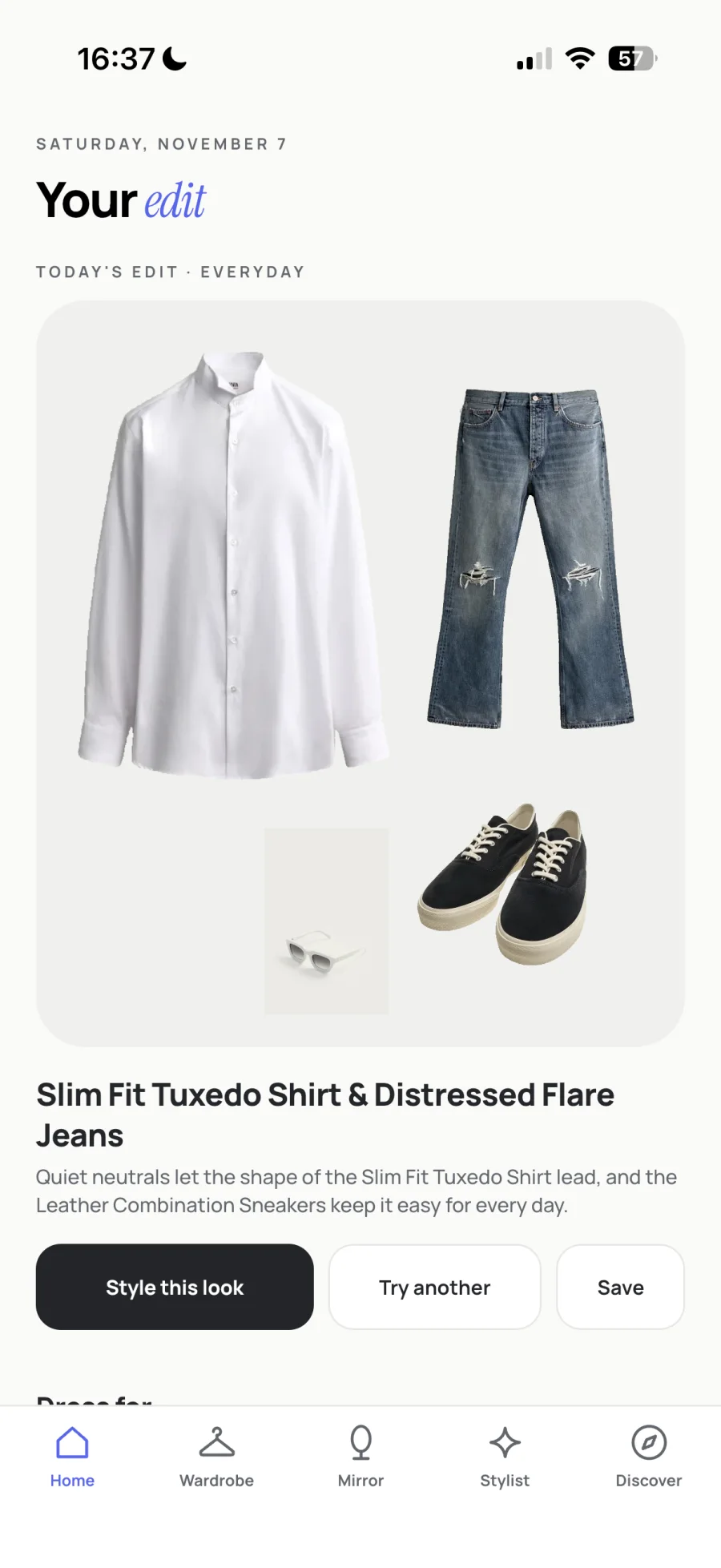
The app
What it does
Add what you own, ask for a look, and see it on your model. Every step works from the garments already saved in your wardrobe.
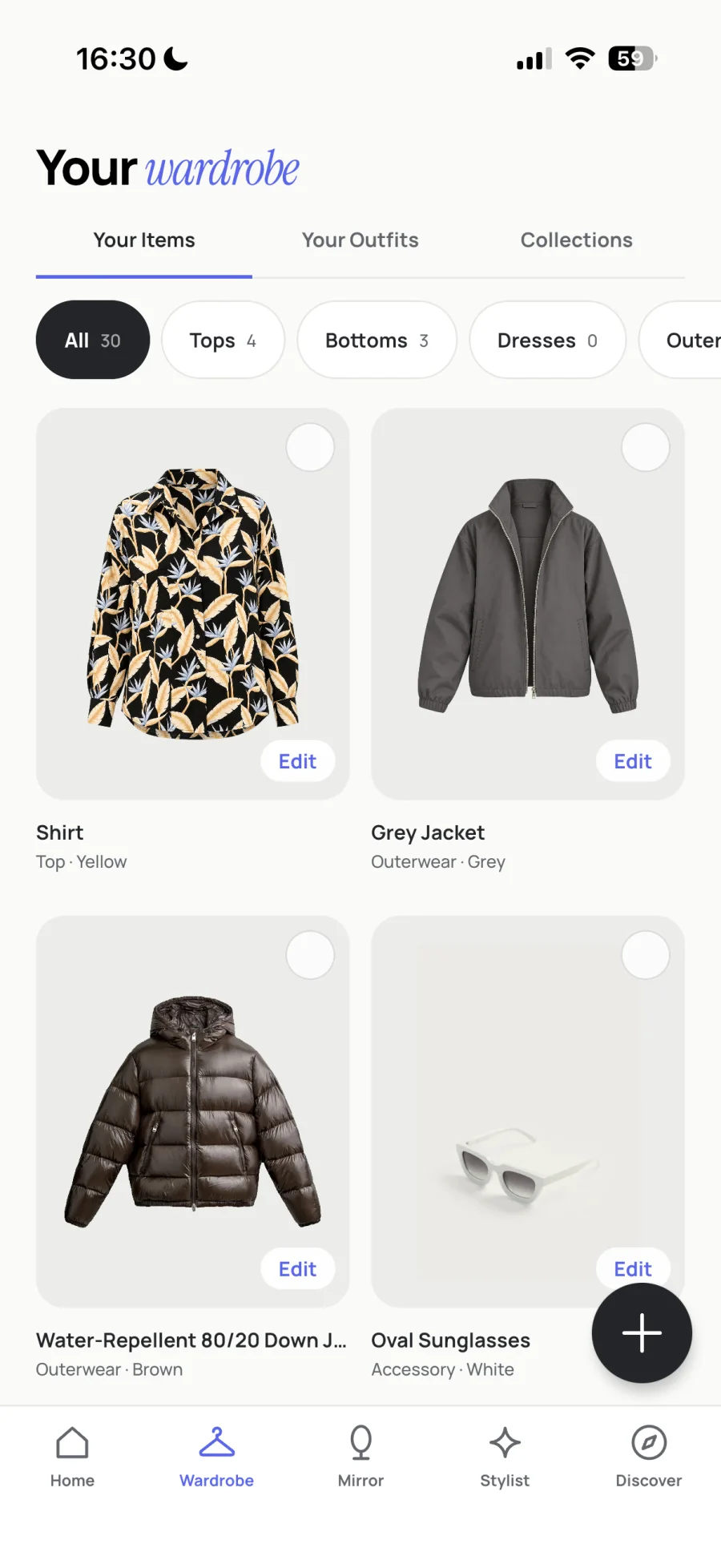
Wardrobe
Saved garments as clean product images, filtered by category.
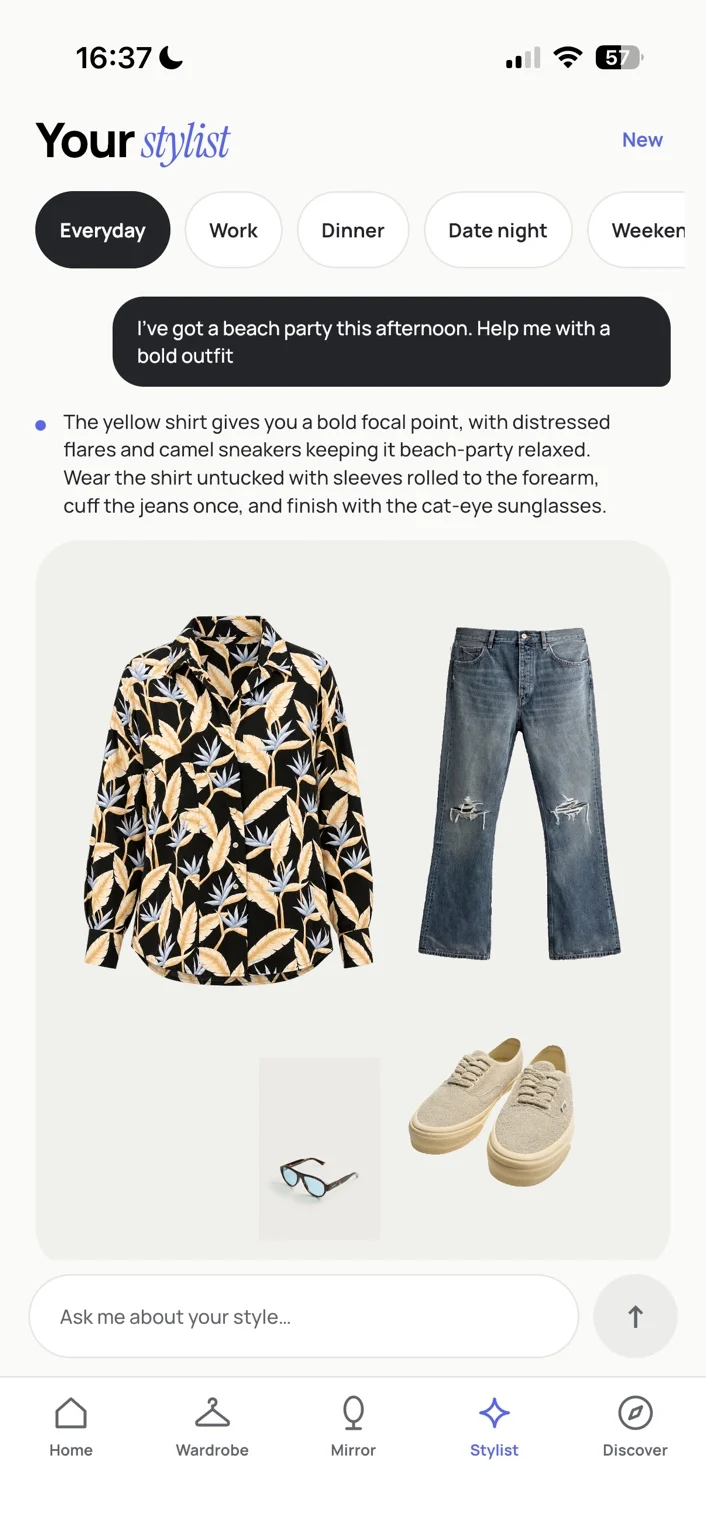
Stylist
An occasion request answered with an outfit built from saved pieces.
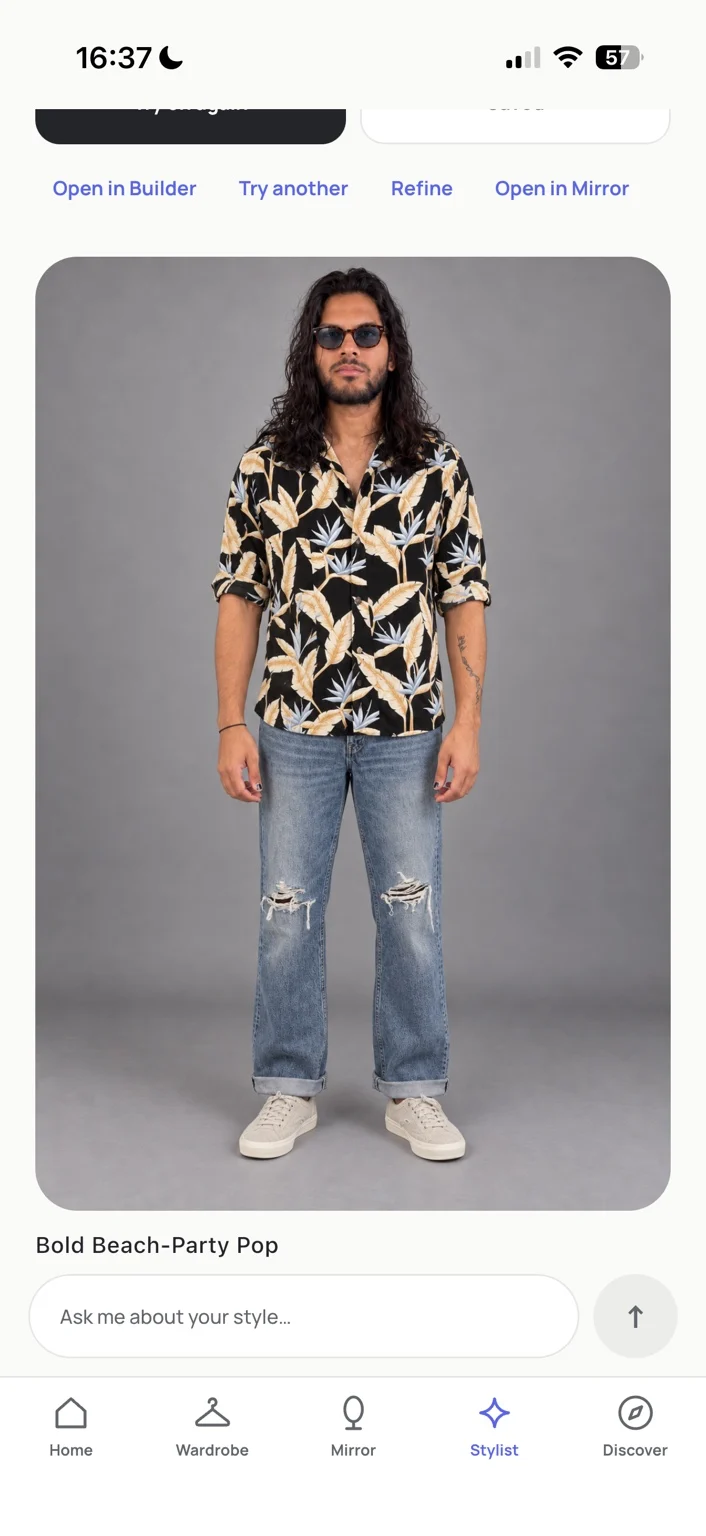
Try-on
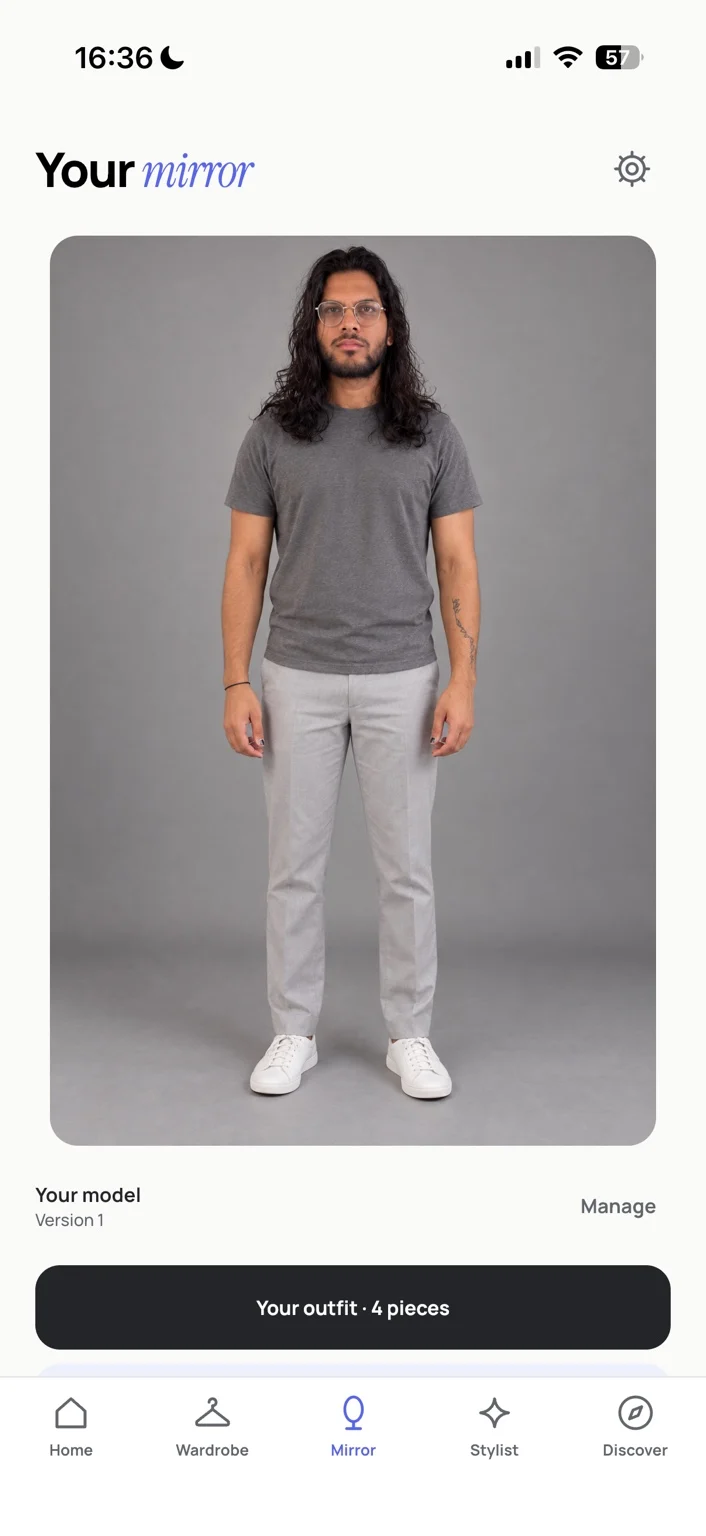
The selected outfit generated on the user’s base model.
Import & Studio
Turning a photo into a wardrobe piece
A photo goes to the backend as an import job. The SAM 3 worker segments it into candidate pieces; I review what it found, correct the details, and save only the piece I want.
A Studio job can then send that piece’s cutout to OpenAI to reconstruct a clean product image, after an explicit confirmation. The result is labelled as AI, can be accepted or rejected, and sits next to the original for comparison.
Stylist & try-on
Asking for an outfit, then trying it on
A plain-language request returns an outfit built only from saved garments, with a styling note for each piece. In this recording the recommendation comes from the on-device rule-based engine, not a live language model.
Trying the outfit on asks for confirmation, then sends the base model image and the pieces’ images through the Mirror service to OpenAI to generate one preview.
Workflows
One outfit, carried across the app
Garments and saved outfits persist on the device, so the wardrobe is always available. A suggested look can be refined in place: tap a piece to lock it, ask for another option, or open the look in the Builder to edit by hand.
Stylist, Builder, and Mirror share one outfit state. A look opened from the Stylist arrives in the Builder or Mirror with the same pieces, and a look in Mirror can go back to the Builder for changes.
Micro-styling
Instructions for each piece
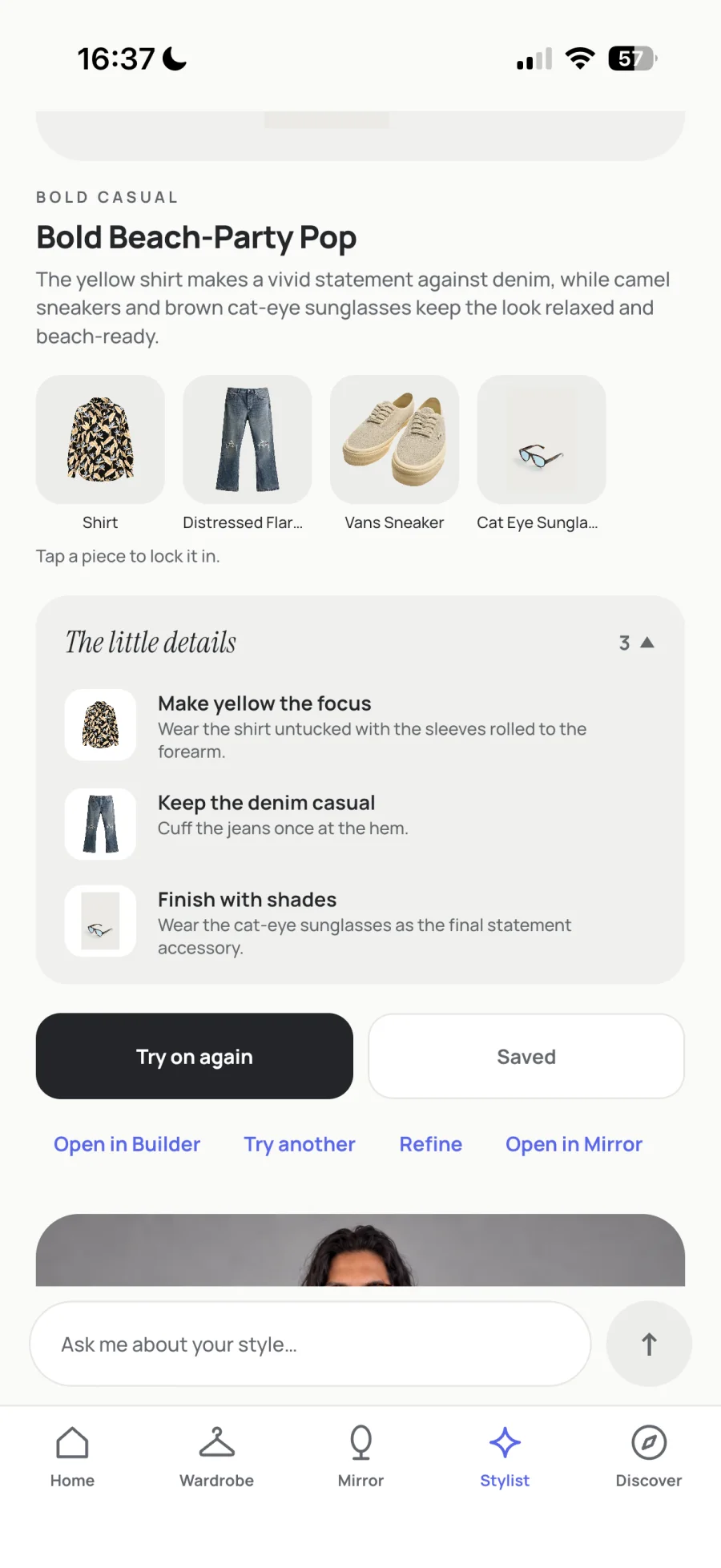
An outfit list says which pieces to wear. Wadrova adds short instructions tied to individual garments in the look: wear the botanical-print shirt untucked with the sleeves rolled, cuff the jeans once, finish with the sunglasses.
Engineering
One shared app, a job queue, and a GPU worker
The app is a single Kotlin Multiplatform module. The Compose UI, state, rules, storage, and networking are written once for Android and iOS. Each platform shell is about 20 lines, and more than 90% of the app’s code is shared.
Screens follow MVVM with one-way data flow. A screen renders an immutable state object and sends events to its ViewModel, which applies a pure transition to get the next state and calls a repository for anything that touches storage or the network. Rules shared across features live in a domain layer with no dependencies, and everything is wired by hand from one composition root.
Image work happens off the device: a FastAPI backend with a PostgreSQL job queue, a remote SAM 3 GPU worker, a Studio worker, and a separate Mirror service for try-ons.
The app has around 650 tests that run on both the JVM and the iOS simulator. The backend has around 420, run against real PostgreSQL and S3 storage.
Implemented architecture
- 1Idempotency. Every create call carries an Idempotency-Key; a repeat returns the first result, and a changed body is rejected.
- 2Artifact integrity. SHA-256 is checked on upload, re-read after each write, and verified again by the app after download.
- 3Async jobs. Workers claim jobs with SKIP LOCKED and hold leases with heartbeats; completions from stale attempts are rejected.
- 4Durable steps. Imports and Studio renders save their state before each network call, so a crash or relaunch resumes the next step.
Decisions
Three choices that shape the system
Local-first, crash-safe workflows
SQLite on the device is the source of truth. Imports and Studio renders save their state before every network call and advance one step at a time, so a crash, a lost response, or a relaunch picks up where it stopped. A retry reuses the same idempotency key and replays the first result instead of paying twice, and a generated image is linked only after its SHA-256, size, and PNG header match.
Image processing on separate workers
A photo becomes a job on the backend. Jobs live in PostgreSQL and are claimed with SELECT … FOR UPDATE SKIP LOCKED, with leases, heartbeats, and bounded retries, so a stalled worker’s job is reclaimed safely. SAM 3 runs on a remote GPU worker that pulls jobs over HTTPS and uploads masks and cutouts to S3-compatible storage. Studio images come from their own worker, and try-ons still run through a development-only Mirror service.
AI that can only use your wardrobe
The default Stylist is a deterministic engine on the device. The optional AI Stylist sends the model garment ids, names, categories, colours, and materials, never images, and the model answers with tool calls. The app runs those calls itself and rejects any garment that isn’t saved. It asks for consent first, sits behind a server flag that is off by default, and falls back to the on-device engine when it’s off, declined, or out of quota.
The tradeoff
Repositories return snapshots instead of streams, and navigation is plain state instead of a library. Both keep behaviour easy to test, but a write in one feature has to tell the others to reload, and App.kt has grown into a central switchboard. There is no use-case layer, so some orchestration, like deleting a garment, sits in ViewModels.
Technical deep dive
State and presentation
ViewModels come from JetBrains’ multiplatform lifecycle library and hold state in Compose mutableStateOf with a private setter, so screens recompose without collectors.
Wardrobe keeps its logic in pure transitions on the state, called as update { it.toggle(item) }. The ViewModel only does repository I/O, which lets most behaviour be tested without coroutines or UI. This is an MVI-style reducer without a formal intent hierarchy.
Destructive actions confirm through a pending state rendered as a dialog, a saving flag blocks double submits, and a failure keeps the user’s input. Success is shown only after data is written.
Persistence
Each feature has its own SQLDelight schema with versioned migrations, and every migration has a test. Repositories validate, then write in one transaction.
Photos and generated images are files referenced by id. They are deleted only after the database commit, and a launch sweep that knows every referencing table removes anything left behind. Tokens are kept only in the iOS Keychain or Android Keystore.
Navigation, dependencies, and platform code
Five tabs and each tab’s screen live in state, with no route strings. Features hand off with plain calls, such as opening a look in Mirror from the Stylist.
One bundle of repositories is built per platform and passed into ViewModels by constructor. Collaborators are passed as functions where that keeps features apart, and time and ids are injected so tests are deterministic.
Platform code is limited to expect/actual implementations: credentials, file locations, photo pickers, camera, back handling, reduced motion, app lifecycle, hashing, and the SQLite driver.
AI Stylist limits
The server forwards text only and runs no tools. The model has four: read the wardrobe context, set an outfit, propose variations, and request a try-on. Calls are checked on the server, then against the saved wardrobe in the app.
The wardrobe context is capped at 4,000 characters per message, so a large wardrobe is trimmed in a fixed order. Each account has a daily turn limit, and the server enforces a hard monthly budget.
Testing
Shared tests run on the JVM host and the iOS simulator. Repositories are tested against a real SQLDelight database per test, plus migrations from older schemas.
Networking is tested with Ktor’s MockEngine and a stateful fake server that simulates idempotent replays, lost responses, quotas, and expired jobs.
The vision
Where Wadrova is going
Wadrova is meant to grow into a stylist that understands one person’s wardrobe and taste, and keeps learning from what they own, save, and turn down. It should read wider fashion through that lens instead of repeating what’s popular, and suggest new pieces only when they work with the clothes already in the closet.
This is direction, not shipped work. Today, wardrobe understanding is built end to end, the Stylist is a deterministic on-device prototype, and Discover is a placeholder.
Product Vision / Planned Architecture
Evolving Style Intelligence
Planned
A lasting picture of your style, built from garments in your photos, outfits you create and save, stated likes and dislikes, preferred silhouettes and styling techniques, feedback on suggestions, and optionally what you wear.
Fashion-Aware Stylist
Planned
Follows emerging aesthetics, seasonal shifts, silhouettes, and styling conventions, then interprets them through your wardrobe and preferences. A trend appears only when it fits what you own and how you dress.
Wardrobe-Aware Discovery
Planned
Real, purchasable products chosen for what they’d pair with in your closet, your preferences and budget, and the outfits they’d make possible. Live retailer integrations would show verified details, availability, and outbound links. None exist yet.
Status
What’s built and what’s prototyped
Wadrova isn’t released yet. The parts below are split by what runs end to end today.
Working end to end
- Garment import: upload, SAM 3 segmentation, mask corrections, finalize
- PostgreSQL job queue, worker API, and S3 artifact storage
- Studio product-image reconstruction with OpenAI image editing
- Wardrobe, saved outfits, and collections, stored on the device
- Outfit Builder, Mirror, and the shared outfit state
Prototype
- Stylist recommendations: a deterministic, rule-based engine on the device. The optional AI Stylist is built in the app and backend, and is off by default behind a server flag and user consent.
- Home “Today’s edit” and the styling tips: deterministic rules
- Try-on and base model: a separate development service, not yet on the job queue
- Discover: placeholder